Studio by Kreatörav Kreatör

From raw footage to a finished video.Från råfilm till färdig video.

Studio by Kreatör is a Mac app for people who vlog. It cuts a first draft of your footage, suggests titles and thumbnails, and uploads to YouTube when you press the button yourself.

Studio är en Mac-app för dig som vloggar. Den klipper ihop ett första utkast av dina filmer, föreslår titlar och tumnaglar och laddar upp till YouTube när du själv trycker på knappen.

Studio is currently available by invitation only. Ask for an invite: vlad@kreator.nuJust nu finns Studio bara för inbjudna. Be om en inbjudan: vlad@kreator.nu
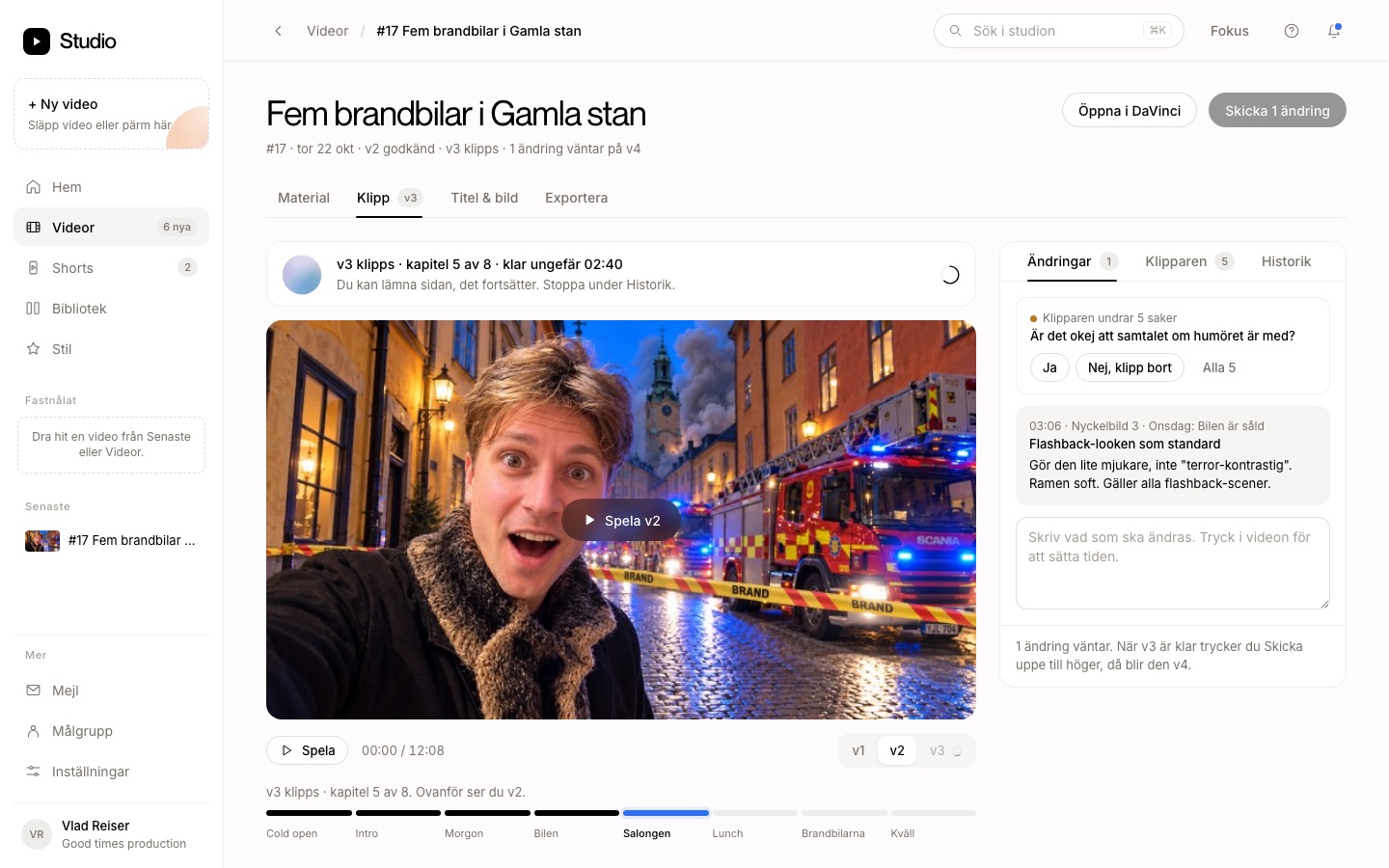
Studio editing a vlog: the video in the middle, the chapters below and the changes on the right.

One video at a time, all the way to YouTube.En video i taget, hela vägen till YouTube.

  1. EditKlipp

    Studio listens to what is said in the day's clips and builds a first draft with chapters, music and graphics.

    Studio lyssnar på vad som sägs i dagens klipp och bygger ett första utkast med kapitel, musik och grafik.

  2. ApproveGodkänn

    You watch and write what should change. The next version has those changes, and when you are happy, you approve it.

    Du tittar och skriver vad som ska ändras. Nästa version har ändringarna, och när du är nöjd godkänner du den.

  3. Title & thumbnailTitel & bild

    Three title and thumbnail ideas to choose from.

    Tre förslag på titel och tumnagel att välja mellan.

  4. 4K

    The timeline opens in DaVinci Resolve, and the 4K file is rendered from your original files.

    Tidslinjen öppnas i DaVinci Resolve, och 4K-filen renderas från dina originalfiler.

  5. YouTube

    You upload the video as private with one button and Touch ID. Publishing it is a separate decision.

    Du laddar upp videon som privat med en knapp och Touch ID. Att publicera den är ett eget beslut.

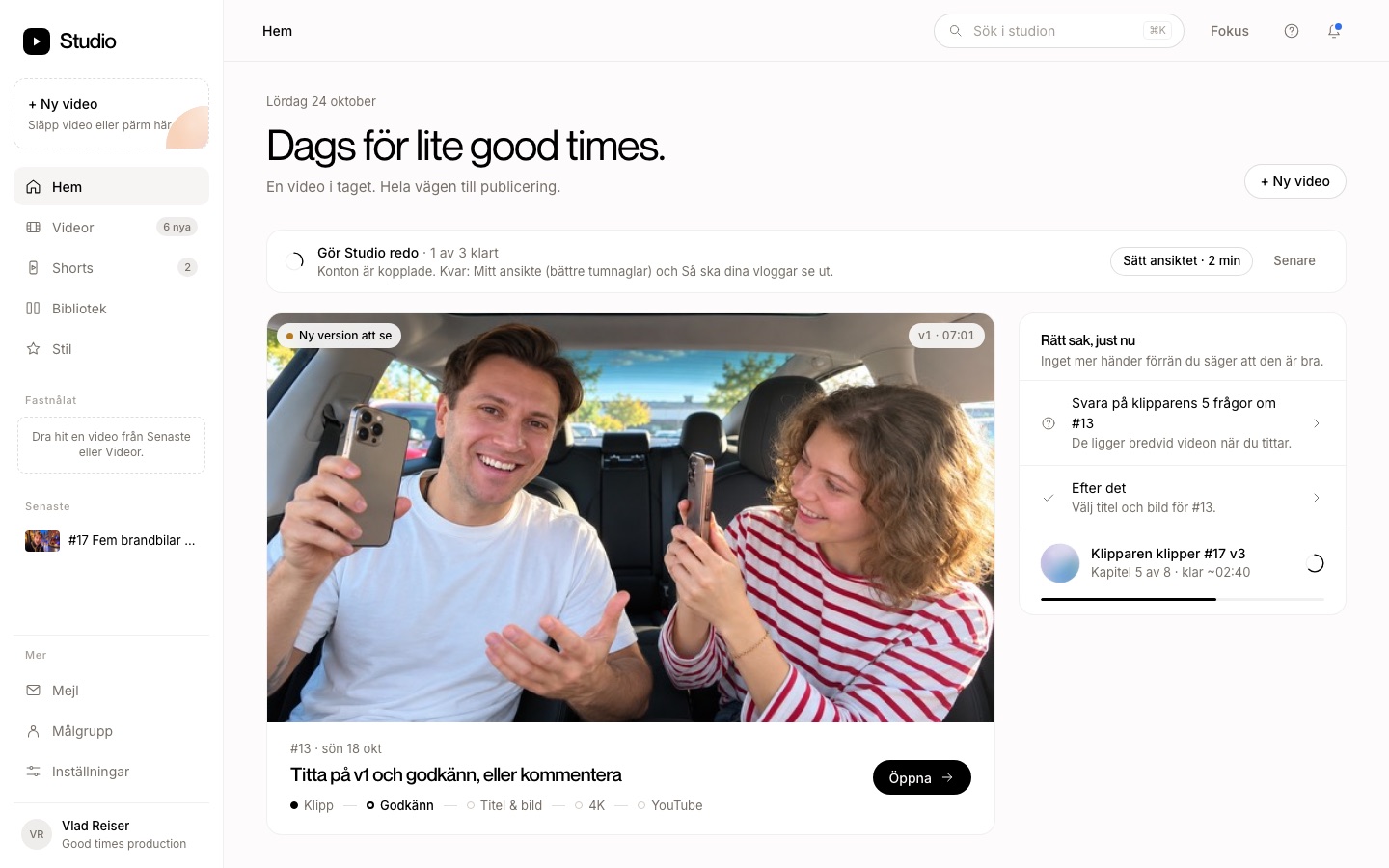
Home in Studio: a new version to watch and a list of what is waiting.

The right thing, right now.Rätt sak, just nu.

Home shows what is waiting for you: a new version to watch, questions about the edit or a title to pick. Long jobs keep running in the background while you do something else.

Hem visar vad som väntar på dig: en ny version att titta på, frågor om klippet eller en titel att välja. Det som tar tid fortsätter i bakgrunden medan du gör annat.
You upload. No one else.Du laddar upp. Ingen annan.

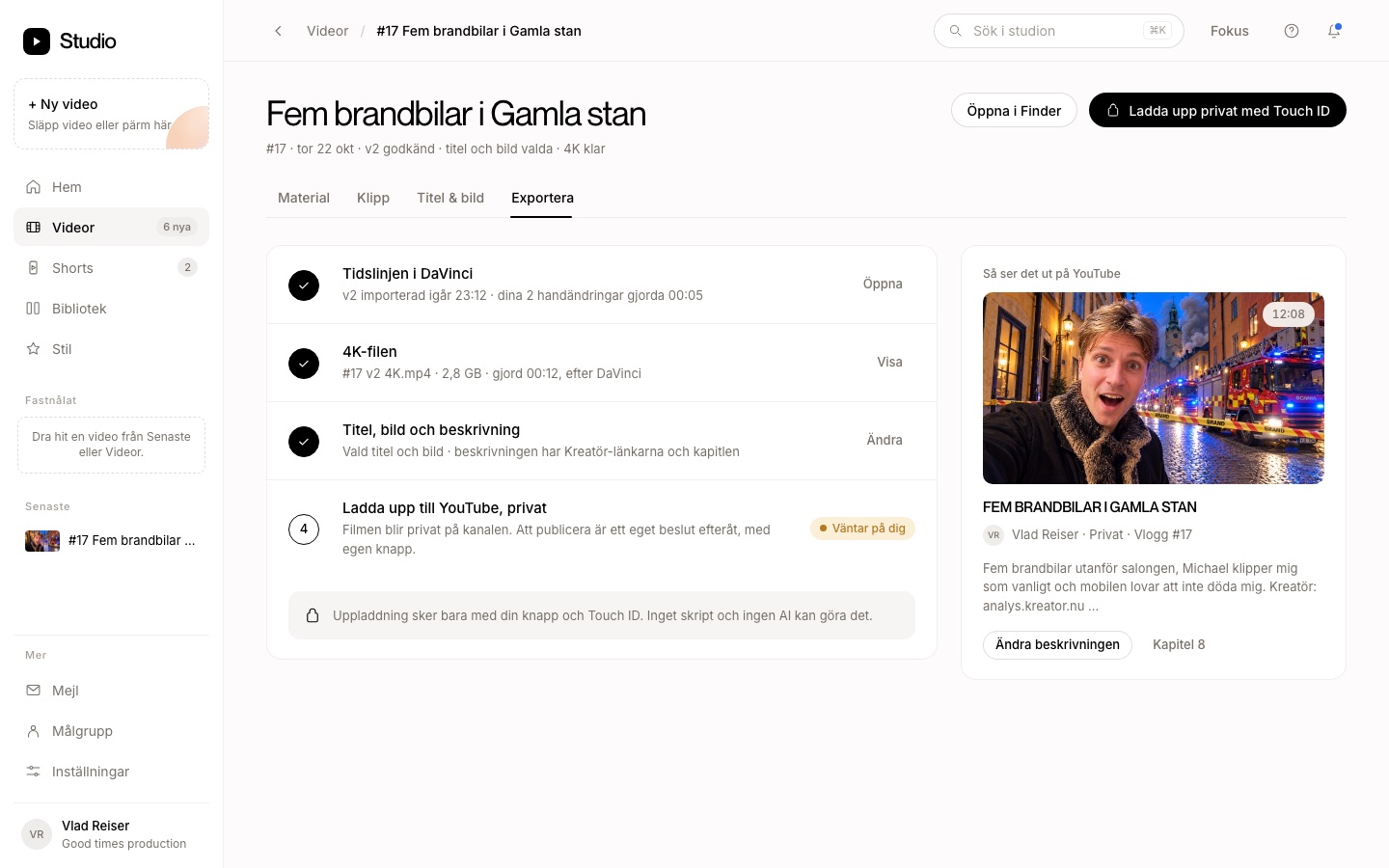
Studio only starts an upload when you press the button and confirm with Touch ID or your Mac password. Nothing in Studio uploads on its own. The video goes up as private on your channel, and you decide when it goes public.

Studio startar bara en uppladdning när du trycker på knappen och bekräftar med Touch ID eller Macens lösenord. Ingen automatik i Studio laddar upp åt dig. Videon läggs upp som privat på din kanal, och du bestämmer själv när den blir offentlig.

The export step in Studio: the DaVinci timeline, the 4K file, title and thumbnail ready, and the button Upload as private with Touch ID.

How Studio uses your YouTube accountSå använder Studio ditt YouTube-konto

You connect YouTube in Studio's settings and sign in with Google in your browser. Studio never sees your password.

Du kopplar YouTube i Studios inställningar och loggar in hos Google i webbläsaren. Studio ser aldrig ditt lösenord.

Read the full privacy policyLäs hela integritetspolicyn